Settings
The Settings area is where you configure your workspace and your personal preferences. This page covers General and Preferences, points you to the settings that have their own docs, and explains three workspace utilities: Notifications, the Activity Log, and the Recycle Bin.
General
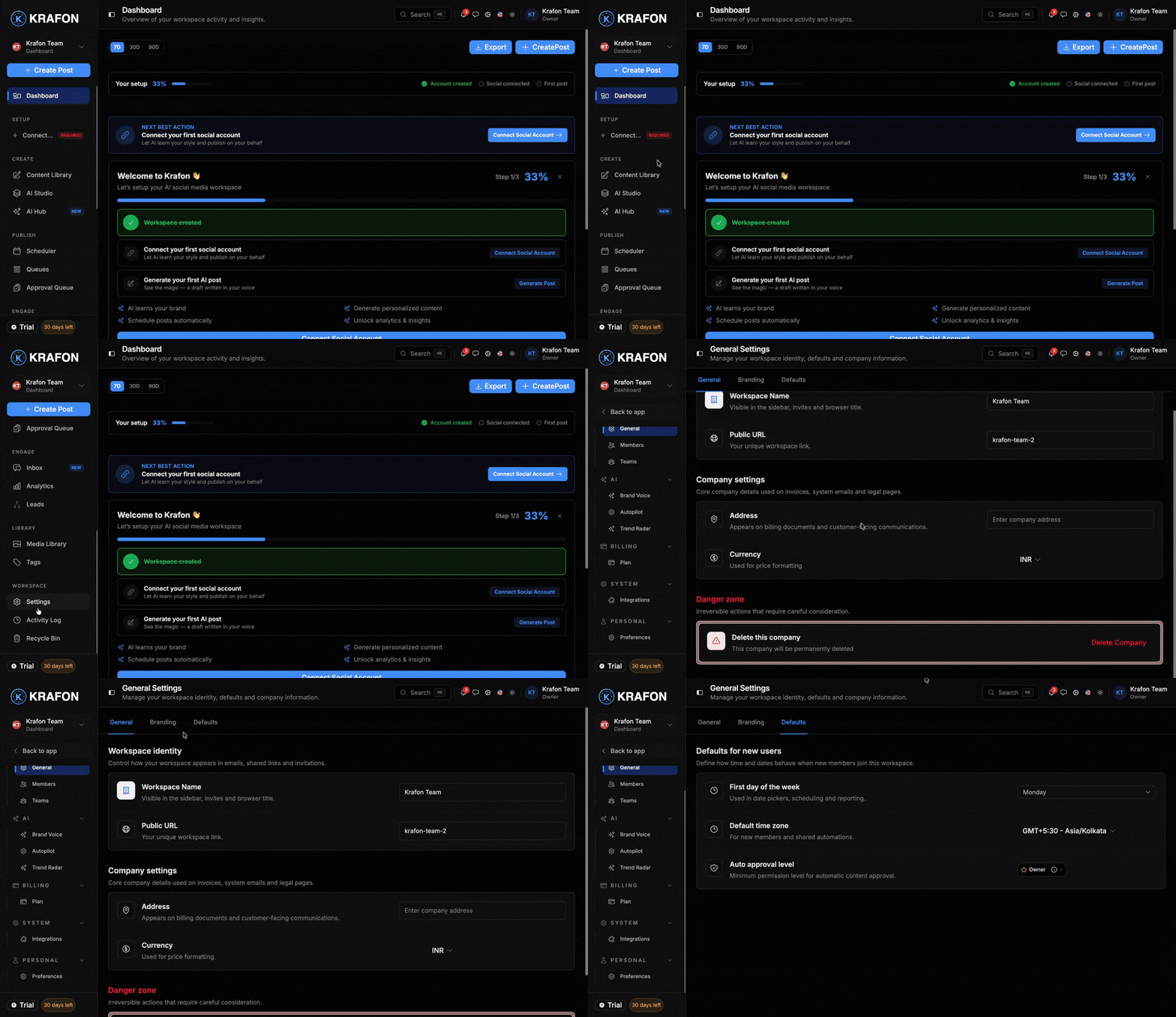
Workspace-wide settings at /<workspace>/settings/general. Changes here affect everyone in the workspace.
- Workspace name — how the workspace is labeled across Krafon.
- Description — a short note about the workspace.
- Timezone — used for scheduling and reporting.
- Language / locale — the display language for the workspace.
- Theme — light or dark default for the workspace.
- Date format — how dates display throughout Krafon.
Preferences
Personal settings at /<workspace>/settings/preferences. These apply only to you and don't affect teammates.
- Font size — adjust text size for readability.
- Theme — your personal light/dark choice.
- Notification frequency — how often Krafon notifies you.
- Default view — the screen you land on when you open the workspace.
- Email digest — opt in to a summary email.
Other settings pages
Some settings live in their own areas and have dedicated guides:
- Integrations — Media & design integrations
- Brand Voice — Brand Brain
- Autopilot — Autopilot
- Trend Radar — Trend Radar
- Plans / Billing — Plans & billing
Notifications
The Notifications center at /<workspace>/notifications keeps you on top of everything that needs your attention. Krafon notifies you about:
- Approvals needed — content waiting for your review.
- Schedule conflicts — posts that clash in the queue.
- Autopilot drafts ready — AI-generated drafts ready to review.
- Team invites — new members joining or invitations to act on.
- Platform disconnections — a connected account that needs reauthorizing.
- Quota warnings — approaching your plan's AI post or profile limits.
- New comments / mentions — activity in your unified inbox.
For each notification you can:
- Mark read / unread
- Archive
- Filter by type
- Set per-type preferences — choose which notifications you want and how you receive them.
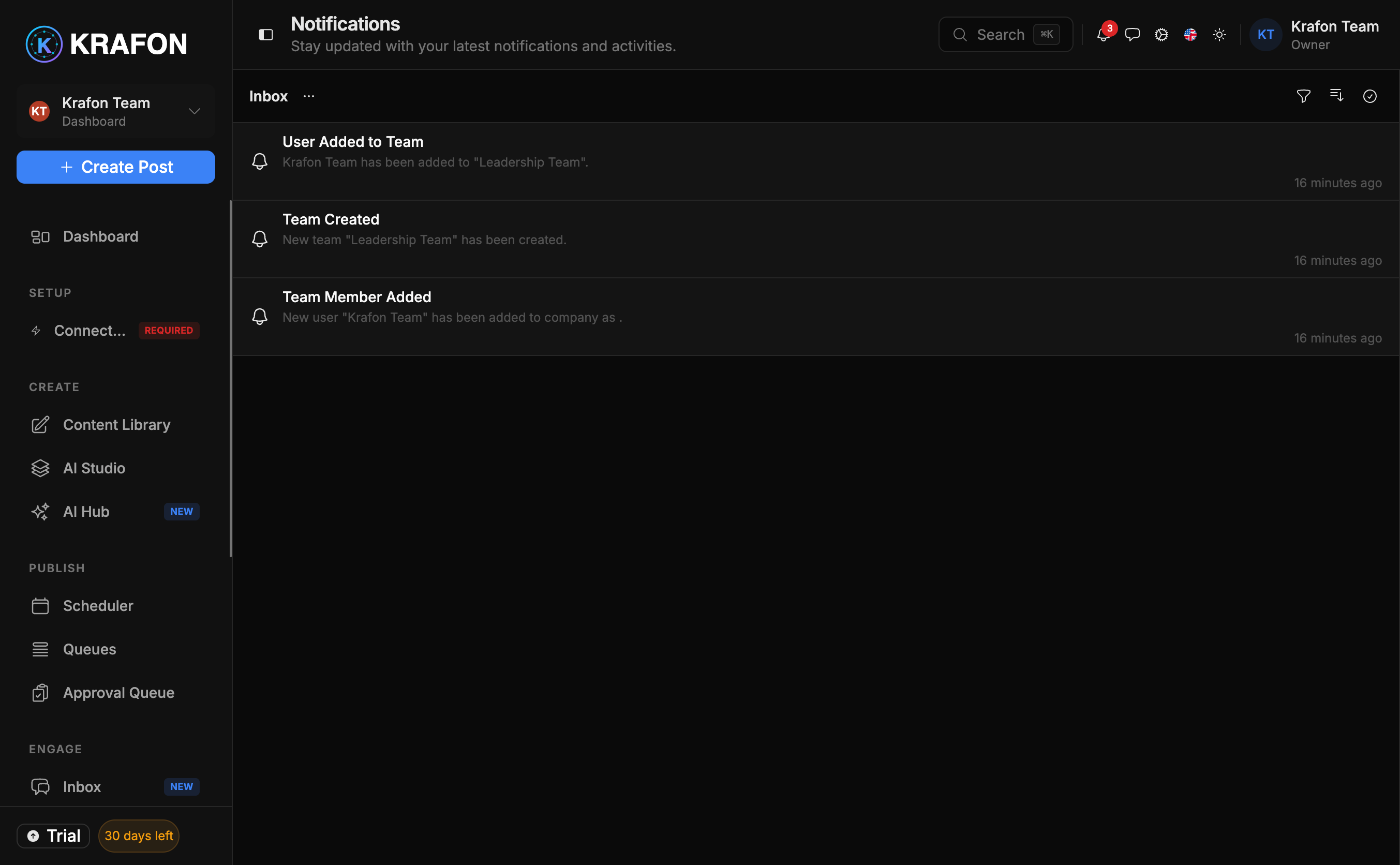
Set per-type preferences so high-priority alerts (like platform disconnections) always reach you, while lower-priority ones stay quiet.
Activity Log
The Activity Log at /<workspace>/activity-logs is an audit trail of what happened in your workspace and who did it. It records:
- Logins
- Content create, edit, and publish
- Approvals
- Invites
- Settings and permission changes
You can filter by user, action, date, and resource, and export the log.
The Activity Log is especially useful for teams who need accountability — see Security & data for how it supports auditing.
Recycle Bin
Deleted something by mistake? The Recycle Bin at /<workspace>/bin keeps removed items for a 30-day retention window. You can restore or permanently delete:
- Content
- Users
- Teams
- Tags
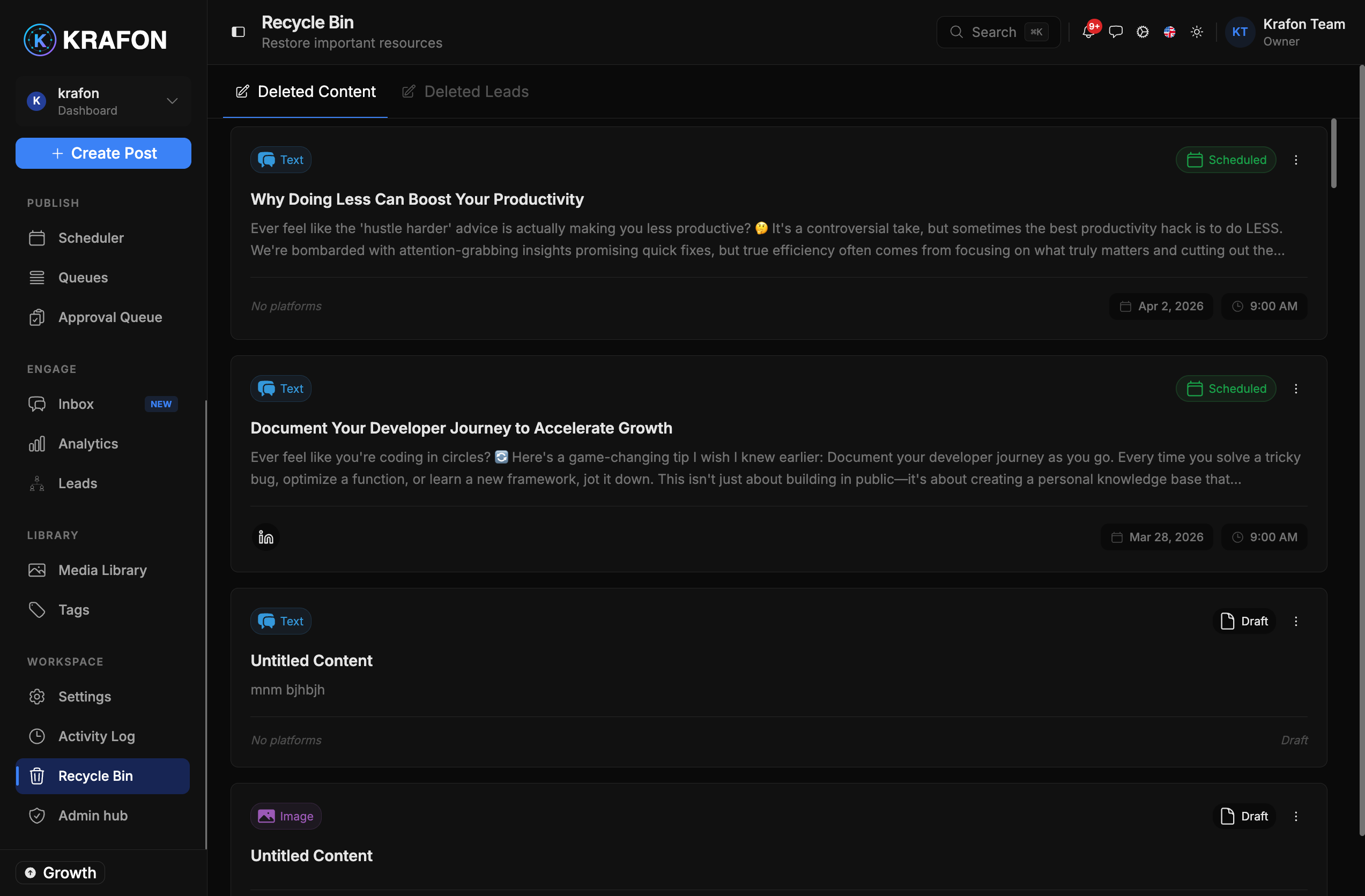
After 30 days, items in the Recycle Bin are removed permanently and cannot be recovered. Permanently deleting an item also cannot be undone.