Free Tools
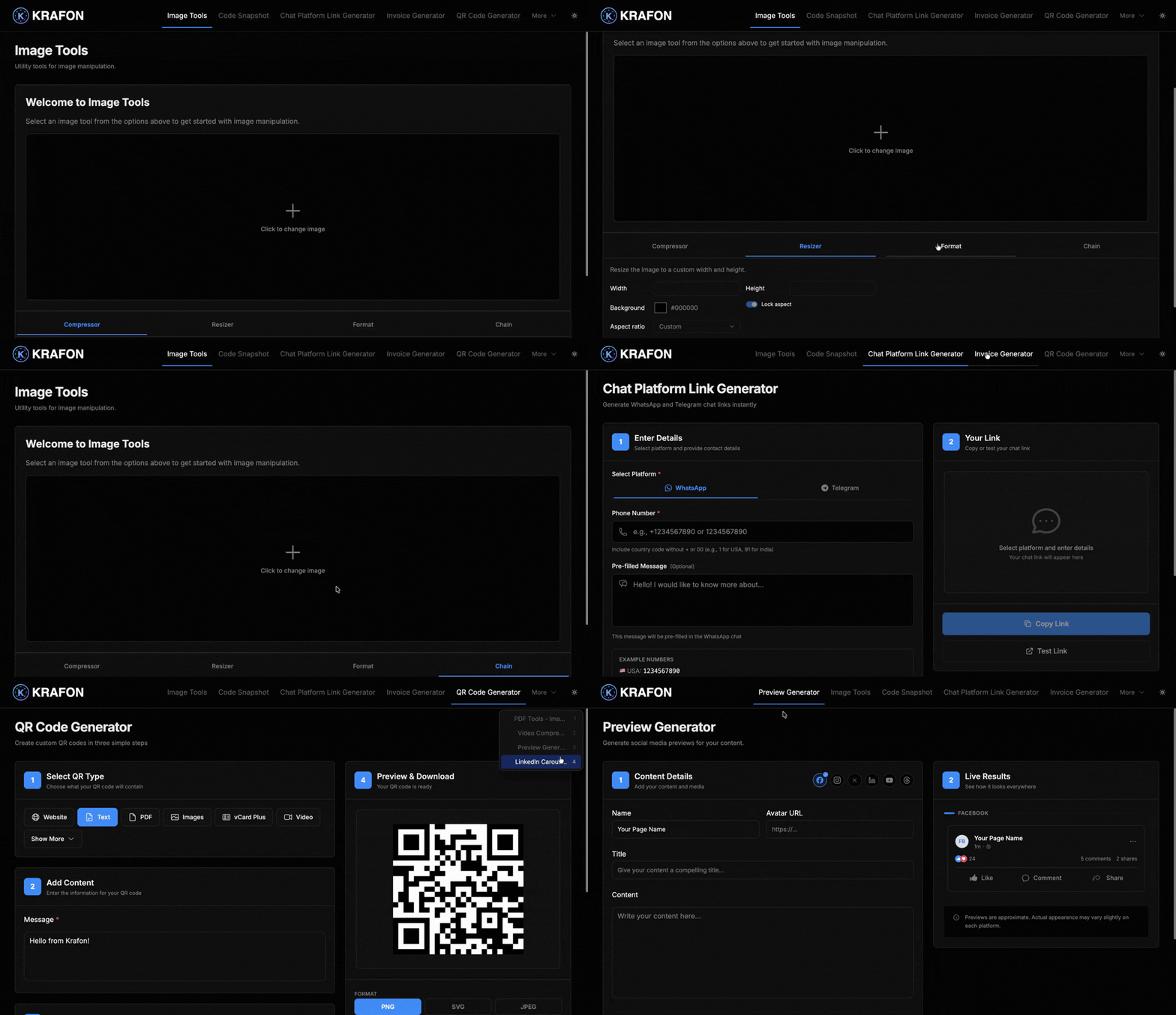
Krafon includes a set of free creator utilities that handle the small, everyday jobs around content creation — generating a QR code, resizing an image for Instagram, building a LinkedIn carousel, and more.
Overview
These tools are free and need no signup. Each has a public version at app.krafon.com/app/<slug> you can use right away, plus an authenticated version inside your workspace when you're signed in. Use them on their own, or alongside the full app.
Why use this?
- Zero friction. No account, no paywall — open the link and start.
- Made for social. Presets and formats tuned for Instagram, Facebook, LinkedIn, and more.
- One toolbox. Common creator tasks in one place instead of scattered across random sites.
- Built into your workflow. Signed-in versions live right next to your content tools.
The tools
| Tool | What it does | Public link |
|---|---|---|
| QR Code Generator | QR codes for websites, WiFi, UPI, contacts, or text | https://app.krafon.com/app/qrcode |
| WhatsApp Link Generator | Click-to-chat WhatsApp/Telegram links without saving the number | https://app.krafon.com/app/chatlink |
| Image Resizer / Image Tools | Resize for Instagram/Facebook/LinkedIn, convert formats, compress, crop | https://app.krafon.com/app/imagetools |
| PDF Tools | Images → PDF, merge, watermark | https://app.krafon.com/app/pdftools |
| Code Snapshot Generator | Syntax-highlighted code images for sharing | https://app.krafon.com/app/codesnapshot |
| LinkedIn Carousel Generator | Multi-slide PDF carousels | https://app.krafon.com/app/linkedincarousel |
| Post Preview Generator | Preview a post across Instagram/Facebook/LinkedIn/Twitter | https://app.krafon.com/app/previewgenerator |
| Video Compressor | Compress videos up to 90% without quality loss | https://app.krafon.com/app/videocompressor |
| Invoice Generator | Professional invoices with automatic calculations | https://app.krafon.com/app/invoice |
More web-based generators
Krafon also offers these web-based generators to speed up writing and measurement:
- AI Caption Generator — draft captions for any post in seconds.
- Hashtag Generator — find relevant hashtags for your topic.
- Engagement Rate Calculator — measure how your content performs.
- UTM Link Builder — add tracking parameters to your links.
- X Thread Generator — turn an idea into a ready-to-post thread.
- Instagram Bio Generator — write a polished, on-brand bio.
Example workflow
You're prepping a LinkedIn post about a product launch:
- You open the LinkedIn Carousel Generator and build a multi-slide PDF carousel.
- You resize your hero image with Image Tools so it fits cleanly.
- You run the Post Preview Generator to check how it looks before publishing.
- You generate a QR Code linking to the launch page to add to your slides.
- When you're ready to publish on a schedule and at scale, you move into the full app — start with Content Studio.
The free tools complement the full Krafon app. Use them for quick one-off tasks, then bring your content into Content Studio to create, schedule, and grow on autopilot.
Signed-in versions of these tools live inside your workspace, so your work sits alongside your other Krafon projects. The public versions at app.krafon.com/app/<slug> work without any account.
Common issues
Problem: A public tool link won't load.
Solution: Double-check the slug in the URL (for example, imagetools, not imagetool). Use the exact links in the table above.
Problem: I want my output saved with my account. Solution: Use the authenticated version inside your workspace instead of the public link, so the tool runs while you're signed in.
Problem: My export looks different from the preview. Solution: Re-run the tool and confirm you selected the right platform preset or format (for example, the correct Instagram size in Image Tools).
FAQ
Are the free tools really free? Yes. They're free and require no signup. Just open the public link and use them.
Do I need a Krafon plan? No. The free tools work without any plan. A plan unlocks the full app — creating, scheduling, inbox, analytics, and more.
What's the difference between the public and workspace versions?
The public version at app.krafon.com/app/<slug> works without an account. The workspace version runs while you're signed in to Krafon, next to your other tools.
Can I use these for client work? Yes. Many creators and agencies use them for quick deliverables, then handle full campaigns in Content Studio.