Leads
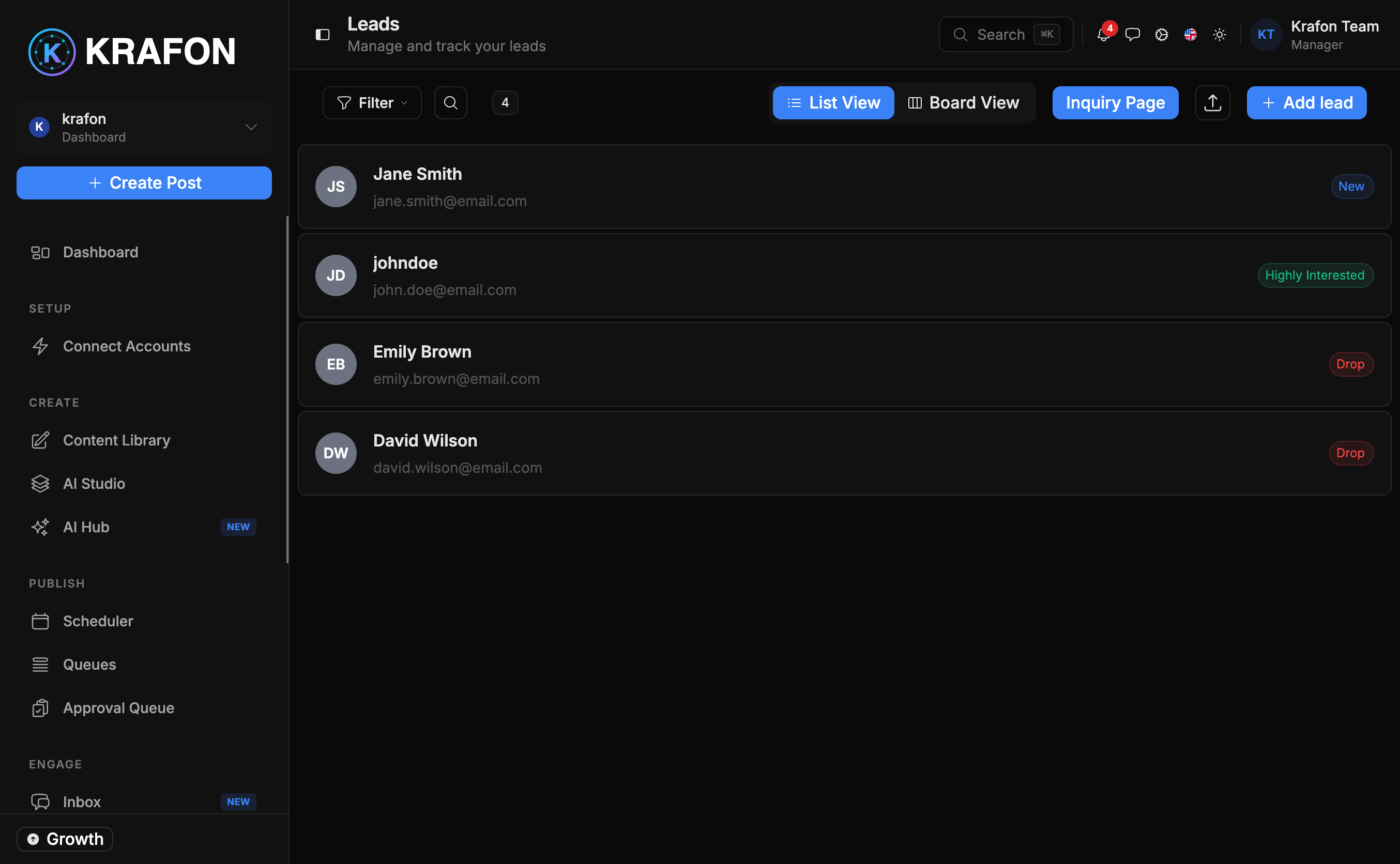
Leads lives at /<workspace>/leads and is a lightweight CRM built into Krafon. It helps you capture potential customers from your social activity and move them from a first comment to a closed deal — without leaving the app.
Overview
Many of your best prospects start as a comment or a DM. The Leads page lets you turn those interactions into tracked records: capture them manually or auto-capture from comments, move each one through pipeline stages, assign them to teammates, and keep notes, deal value, and a full activity timeline in one place.
Why use this?
- Never lose a prospect. Capture leads from comments before they disappear in your feed.
- See the whole pipeline. Track every lead through clear stages so nothing stalls.
- Share the load. Assign leads to specific team members and keep everyone accountable.
- Know the value. Record deal value or budget so you can prioritize the biggest opportunities.
- Keep context. Notes and an activity timeline mean anyone picking up the lead has the full story.
How it works
- Open Leads. Go to
/<workspace>/leads. - Capture a lead. Add one manually, or auto-capture from comments so engaged commenters become leads automatically.
- Fill in the details. Each lead can hold a name, email, phone, source (platform / form / import), stage, assigned member, deal value, and notes.
- Set the stage. Place the lead in the right pipeline stage and move it forward as the conversation progresses.
- Assign an owner. Hand the lead to a team member so they can follow up. See Team & Roles.
- Log activity. Add notes and let the activity timeline track changes over time.
- Filter and search. Narrow your list by stage, source, assignee, and more to find the leads you need.
- Run bulk actions. Select multiple leads to assign them or move them to a different stage at once.
Example workflow
An agency manages leads for a client launch:
- A new post draws several comments asking about pricing. Auto-capture turns the engaged commenters into leads with the platform source.
- The team lead opens Leads, reviews the new entries, and assigns each to an account manager.
- Each manager adds the lead's email, a deal value, and notes from the first conversation.
- As deals progress, leads move through pipeline stages.
- At week's end, the team filters by stage to see which deals are close and uses a bulk action to reassign stalled ones.
Reply fast in the Inbox — leads often start as comments, and a quick response is what turns a casual commenter into a real prospect.
Auto-capture creates leads from comments, but you stay in control: review captured leads and remove any that aren't a real fit.
Who uses Leads? Sales teams tracking deals, agencies managing prospects for clients, and business owners who want a simple way to follow up on social interest.
Common issues
Problem: Comments aren't turning into leads automatically. Solution: Confirm auto-capture is enabled and that the relevant accounts are connected. Leads sourced from comments depend on the Inbox syncing those comments.
Problem: A teammate can't see leads assigned to them. Solution: Check their role and workspace access in Team & Roles. Some roles have limited visibility.
Problem: Duplicate leads for the same person. Solution: Use filter and search to find duplicates, then keep the most complete record. Merge details into one lead and remove the extra.
FAQ
Can I import existing leads? Yes — the source field supports import alongside platform and form, so you can bring in leads you already have.
What fields does each lead store? Name, email, phone, source (platform / form / import), stage, assigned member, deal value, and notes — plus an activity timeline.
Can I move several leads at once? Yes. Bulk actions let you assign or move multiple leads to a new stage in one step.
Where do most leads come from? Often from comments and DMs — handle those in the Inbox, then promote the promising ones to leads.