Analytics
Analytics lives at /<workspace>/analytics and shows you what's actually working. Track post performance, audience growth, and the content that earns the most engagement — then turn those insights into better posts.
Overview
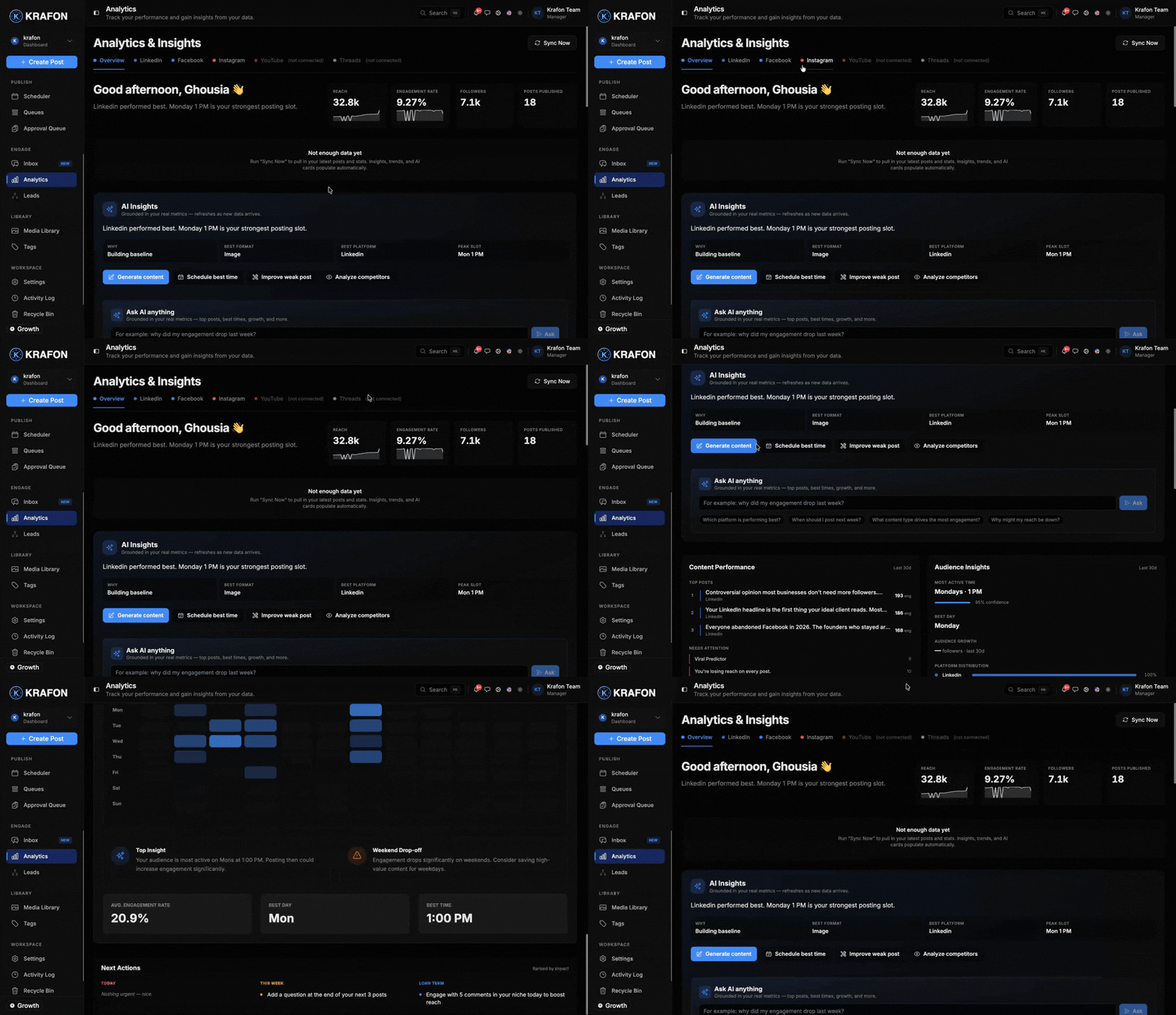
The Analytics page combines your connected platforms into one performance view. You get headline metrics, trend charts, a table of your top-performing posts, and audience demographics — all filterable by date range, platform, and content type.
It also surfaces Smart Best Time predictions: recommended posting windows based on when your audience engages most. Those windows feed back into the Scheduler so you can publish when it counts.
Why use this?
- Know what works. See which posts drive engagement so you can make more of them.
- Track growth. Watch audience and reach trends over time, not just one-off spikes.
- Compare platforms. Platform-specific stats show where you're winning and where to invest.
- Post smarter. Smart Best Time predictions tell you when your audience is most active.
- Understand tone. AI sentiment analysis shows how your audience feels, not just how many engaged.
How it works
- Open Analytics. Go to
/<workspace>/analytics. Data populates from your connected accounts. - Set your filters. Choose a date range — 7D, 30D, or 90D — and optionally filter by platform and content type.
- Read the headline metrics. Review engagement (likes, comments, shares, saves), reach and impressions, and audience growth.
- Explore the charts. Trend charts visualize engagement and growth across the selected period.
- Find your top posts. The top-posts table ranks your best-performing content so you can spot patterns.
- Check your audience. Audience demographics show who's engaging with your content.
- Review sentiment. AI sentiment analysis summarizes the tone of comments and reactions.
- Act on Smart Best Time. Note the recommended posting windows and apply them in the Scheduler.
Example workflow
You want to lift engagement next month:
- You set the range to 30D and filter to Instagram.
- The top-posts table shows your Reels far outperform static images.
- The charts confirm audience growth is steady but engagement dips on weekends.
- Smart Best Time recommends weekday evenings.
- You head to the Scheduler, plan more Reels, and slot them into the recommended windows.
Compare the same metric across 7D, 30D, and 90D to tell a real trend from a one-time spike.
Smart Best Time predictions improve as Krafon gathers more performance data for your accounts. Expect sharper recommendations the longer you publish through Krafon.
Numbers may differ slightly from a platform's native dashboard due to how each platform defines and refreshes metrics. Use Krafon's figures for cross-platform comparison and trends.
Common issues
Problem: Analytics shows little or no data. Solution: Make sure your accounts are connected and that you've published or have existing content in the selected date range. Try widening the range to 90D.
Problem: A metric looks lower than the platform's own number. Solution: Platforms count and refresh metrics differently and on different schedules. Allow time for syncing, and treat platform-native numbers as the source of truth for any single value.
Problem: Smart Best Time isn't recommending windows yet. Solution: There isn't enough engagement history yet. Keep publishing through Krafon, and recommendations will appear as data accumulates.
FAQ
Which metrics does Analytics track? Engagement (likes, comments, shares, saves), reach and impressions, audience growth, best-performing content, platform-specific stats, and AI sentiment analysis.
Can I filter by content type? Yes — filter by platform and content type alongside the 7D / 30D / 90D date ranges.
How do Smart Best Time windows reach my schedule? The recommended windows feed directly into the Scheduler so you can publish at peak times.
Where do I get the big-picture summary? Your Dashboard gives a high-level snapshot; Analytics is the deep dive.