Team & Roles
Krafon is built for collaboration. Invite teammates, give each person exactly the access they need with one of six roles, and group people into Teams to route content approvals.
Inviting team members
Manage everyone from the Users page at /<workspace>/users (also reachable under Settings).
- Go to
/<workspace>/users. - Click Invite.
- Enter the person's email address and choose a role.
- Send the invite.
Invitees receive an email and appear in your list as pending invite until they accept. Once they accept, their status updates and they gain the access for their assigned role.
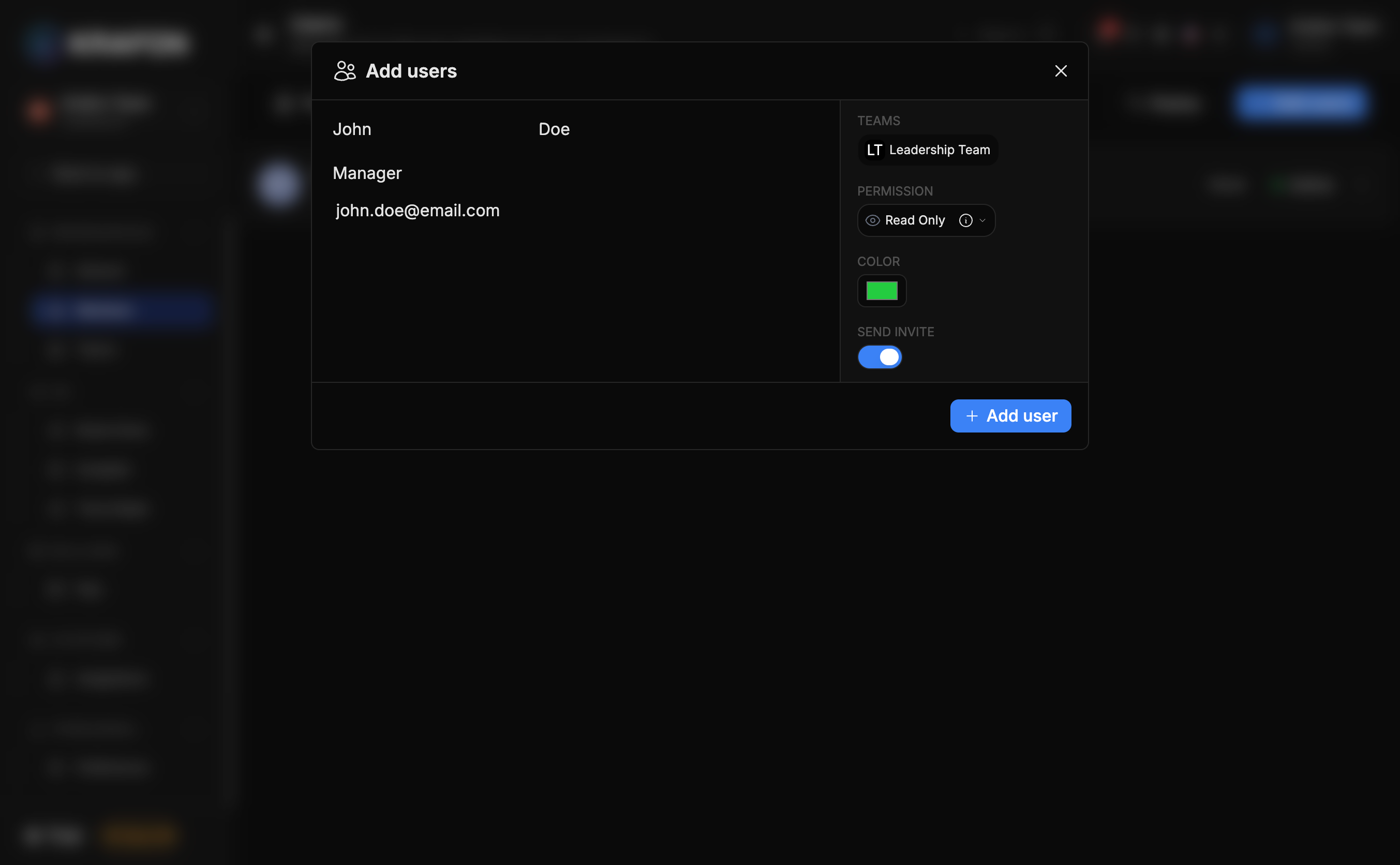
You can change a member's role at any time from the Users page — useful when someone moves from drafting content to approving it.
The six roles
Roles are listed from most to least access. The Owner is the person who created the account.
| Role | What they can do |
|---|---|
| Owner | Full access to everything, including billing. The account creator. |
| Admin | Full workspace management (no special restrictions on workspace settings or content). |
| Manager | Content approval, user management, and analytics. |
| Implementer | Create, edit, and schedule content. |
| Team Member | Create, edit, and schedule content. |
| Observer | Read-only access, including analytics. |
Only the Owner can access billing. If you need to hand off billing, contact support to transfer ownership.
Removing or deactivating members
From the Users page, open a member's row to:
- Deactivate — temporarily revoke access while keeping their record (and their authored content) intact.
- Remove — take the member out of the workspace entirely.
Removed and deactivated members can be restored within the 30-day window from the Recycle Bin (/<workspace>/bin). See Settings.
Teams
Use Teams (/<workspace>/teams) to group members for collaboration and to route content approvals to the right people.
- Go to
/<workspace>/teams. - Create a team and add members.
- Tie the team to your approval flow so content from those members is routed for review.
Approvals run through the Approval Queue — see Approval Queue for how items move through review, and the Team approval workflow guide for an end-to-end setup.
Content approval is available on Pro (comments) and adds full approvals on Growth and White Label. See Plans & billing.
Seat limits per plan
Each plan includes a set number of team members (seats):
| Plan | Team members |
|---|---|
| Free | 1 |
| Pro | 2 |
| Growth | 10 |
| White Label | Unlimited |
Reached your seat limit? Upgrade your plan to invite more people — see Plans & billing.