Connect Facebook
Overview
Connecting Facebook lets you publish to your Facebook Pages, manage Page comments from your unified inbox, and pull Page analytics into Krafon. Facebook connects through the Meta Graph API, so you'll authorize the connection with the Facebook account that manages your Page.
Before you start
To connect a Facebook Page, you need:
- A Facebook Page (Krafon connects Pages, not personal profiles).
- To be an admin of that Page. Without admin access, the Page won't be available to connect.
- The Facebook account that has admin access, ready to sign in.
How to connect
- Go to Connect Accounts (
/<workspace>/accounts). - Click Connect Facebook.
- You're redirected to Meta. Sign in to the account that manages your Page.
- Grant the requested permissions and select the Page (or Pages) you want to connect.
- Krafon stores the connection.
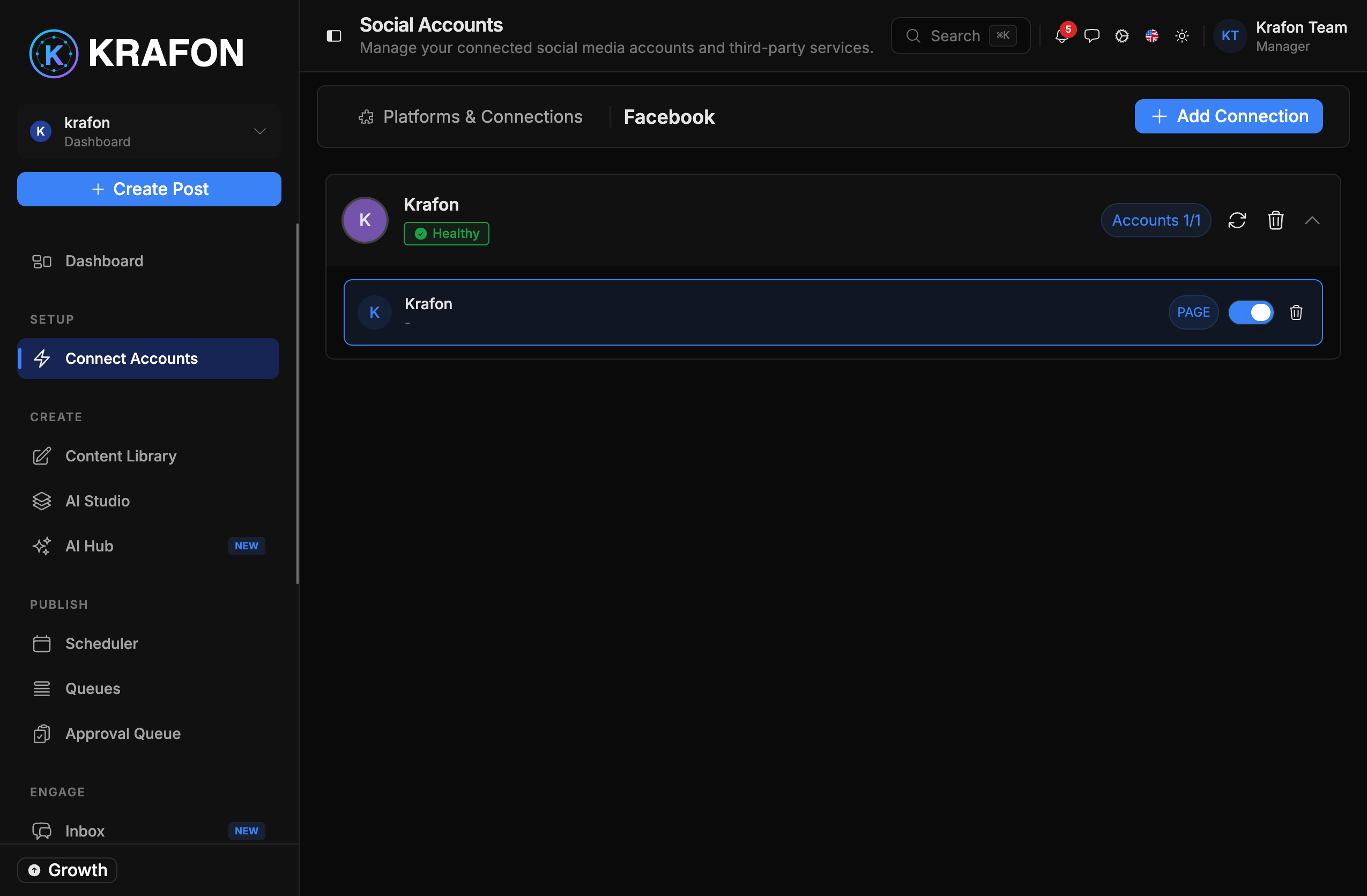
- You return to a confirmation, and your Page appears with a health status.
What you can do
- Publish posts to the Page on a schedule, with your approval before they go live.
- Manage comments on your Page posts directly from the Inbox.
- See analytics such as reach, engagement, and post performance in Krafon.
Limitations
- Krafon publishes to Pages, not personal Facebook profiles or groups.
- Available metrics and post types follow what the Meta Graph API exposes.
Common issues
Problem: Your Page doesn't appear in the list. Solution: You're likely not an admin of the Page, or you didn't grant the Page permissions during sign-in. Confirm your admin role in Facebook, then re-run Connect Facebook and grant every requested scope.
Problem: Permissions weren't granted. Solution: Re-run the connect flow and accept all permissions on the Meta consent screen. Declining any scope can block publishing or comment access.
Problem: The Page shows "expired / needs reconnect." Solution: Open Connect Accounts and reconnect. See Connection Troubleshooting.