AI Studio
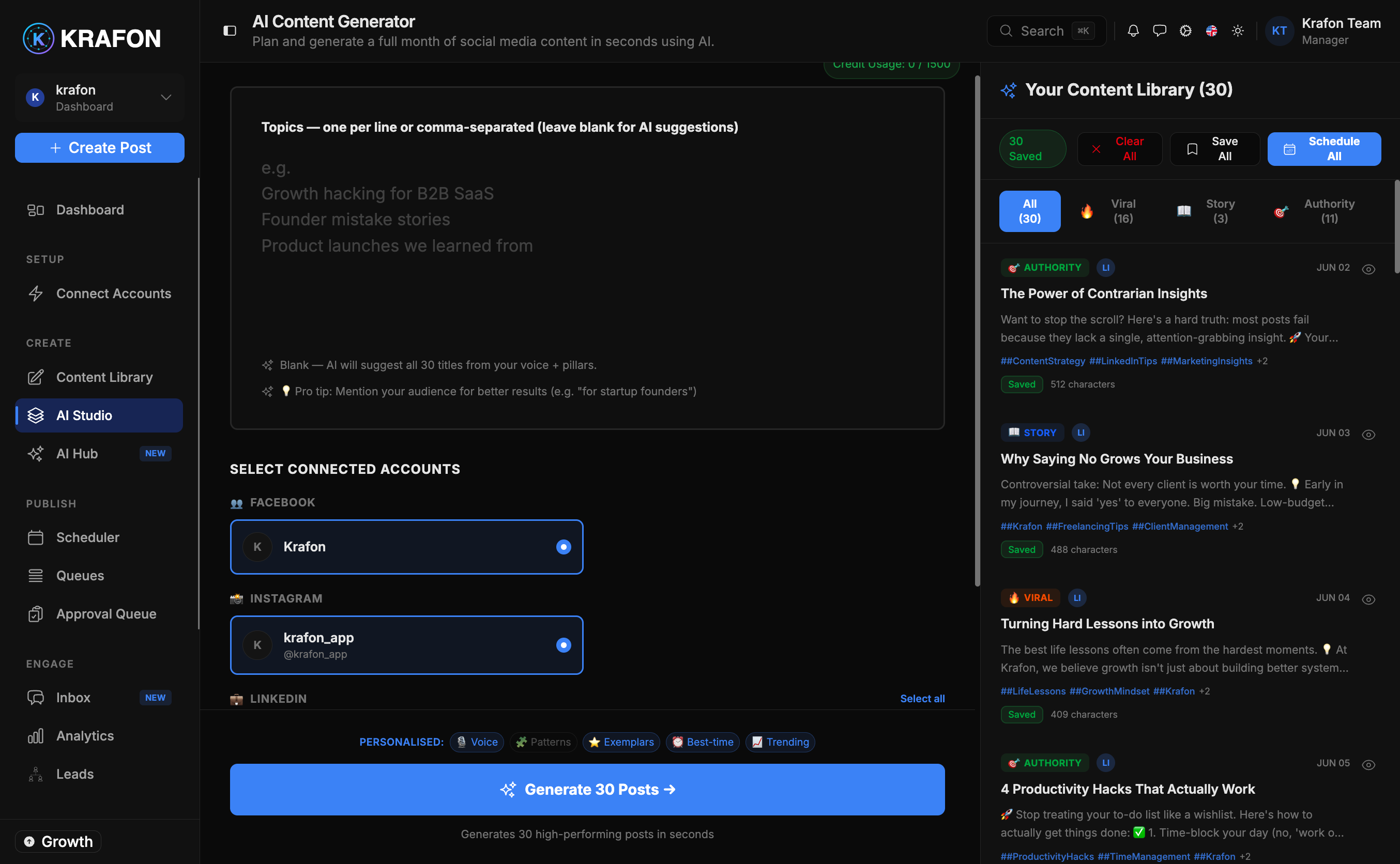
AI Studio at /<workspace>/aicontent is Krafon's bulk content generator. Instead of writing posts one at a time, you tell it how many posts you want and for which platforms, and it drafts them all at once — learning from your Brand Brain and your audience so they sound like you.
Why use this?
- Produce a month of content in minutes instead of hours.
- Stay on-brand automatically — AI Studio pulls tone and style from your Brand Brain.
- Keep full control: everything lands as a draft for you to review before anything publishes.
How it works
- Open AI Studio. Select AI Studio in the sidebar.
- Set the number of posts. Choose how many drafts you want generated.
- Pick your platforms. Select the target platform(s) for the batch.
- Confirm tone and style. These are pulled from your Brand Brain; adjust the preferences if needed.
- Generate. AI Studio creates the batch of draft posts.
- Review in the Library. The drafts land in your Content Library, ready for editing and scheduling.
Before you start
AI Studio needs two things to work well:
- At least one connected account so it knows which platforms to write for — see Connecting accounts.
- A trained Brand Brain so the drafts match your voice.
This is the feature behind "30 days of posts in 5 minutes." For a step-by-step walkthrough, see the guide 30 posts in 5 minutes.
Example workflow
It's the end of the month and you need next month's content. You open AI Studio, set 30 posts across Instagram and LinkedIn, and confirm the tone from your Brand Brain. A few minutes later, 30 drafts appear in your Content Library. You skim them, tweak a handful in Content Studio, tag the campaign posts, and schedule the lot — a month planned before lunch.
Your AI post quota varies by plan (Free includes 10 AI posts/month, Pro 300, Growth 1,500, White Label unlimited). A large batch draws from this monthly quota — see Billing.
Generate more than you need, then keep only your favorites. It's faster to trim a big batch than to ask for a few at a time.
Common issues
Problem: Generation is blocked or unavailable. Solution: AI Studio requires at least one connected account and a trained Brand Brain. Complete Connecting accounts and set up your Brand Brain first.
Problem: I've hit my limit and can't generate more. Solution: You've used your plan's monthly AI post quota. Wait for it to reset, or upgrade your plan — see Billing.
Problem: The drafts don't sound like my brand. Solution: Add more examples and detail to your Brand Brain, then regenerate the batch.
FAQ
Do generated posts publish automatically? No. They arrive as drafts in your Content Library. You review, edit, and schedule them yourself.
Can I generate for multiple platforms at once? Yes — select all the target platforms before generating.