Tags
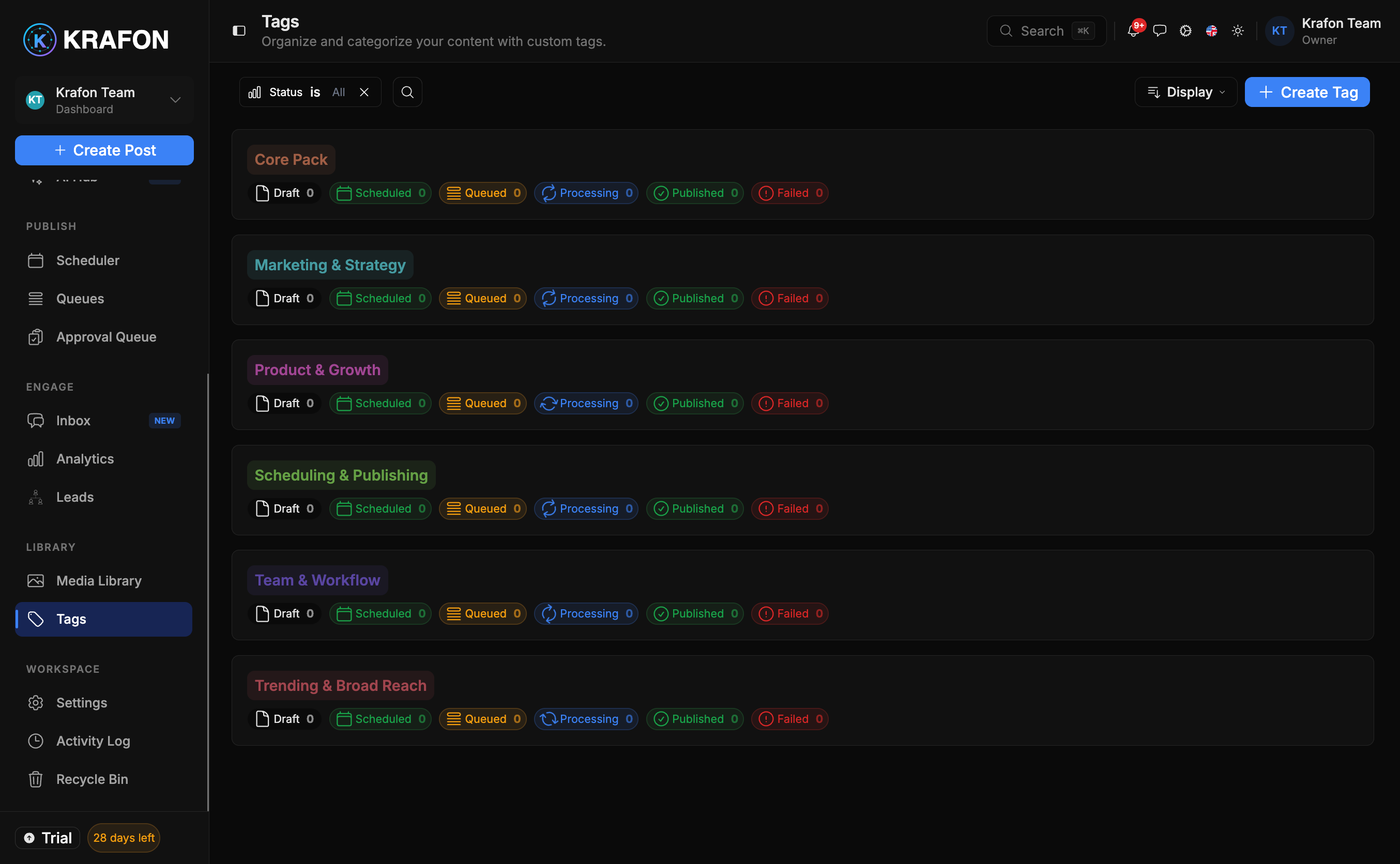
Tags at /<workspace>/tags let you categorize your content with simple, color-coded labels. Once a post is tagged, you can filter your Content Library by that tag and act on the whole group at once — perfect for organizing campaigns, clients, or content themes.
Why use this?
- Group related posts even when they span different platforms and dates.
- Filter your Content Library down to exactly the set you care about.
- Run bulk actions on a tagged group instead of selecting posts one by one.
How it works
- Open Tags. Select Tags in the sidebar.
- Create a tag. Click New tag, give it a name, and pick a color.
- Apply tags to posts. Add one or more tags to a post as you create or edit it.
- Filter by tag. In your Content Library, filter by a tag to see only its posts.
- Run bulk actions. With a tagged set filtered, select all and apply a bulk action such as reschedule, move to queue, or delete.
Example workflow
You manage two clients. You create a green "Acme Co." tag and a blue "Bright Cafe" tag. As you draft posts, you tag each one by client. When Acme wants their week shifted, you filter the Content Library by Acme Co., select everything, and bulk-reschedule — without touching Bright Cafe's posts.
Use color deliberately: one color per client or per campaign makes your Content Library readable at a glance.
A post can carry more than one tag — for example, a client tag and a campaign tag — so you can slice your content in multiple ways.
Common issues
Problem: Filtering by a tag returns nothing. Solution: No posts carry that tag yet, or another active filter is excluding them. Apply the tag to some posts, and clear other filters in the Content Library.
Problem: Two tags look too similar to tell apart. Solution: Edit one tag and choose a more distinct color or a clearer name.
Problem: A bulk action affected fewer posts than expected. Solution: Bulk actions only apply to the posts currently selected. Confirm the tag filter is active and that you've selected the full set before running the action.
FAQ
Can I rename or recolor a tag later? Yes. Edit the tag in the Tags manager; the change applies everywhere it's used.
Do tags work with the Media Library too? Tags here organize your posts. The Media Library also supports tags for organizing assets.